July 07, 2026—5 min
Globetracker
1. Go to the "Telematics" tab on the CO3 website and select "Add New GPS Connection" or click the link https://track.co3.io/#/telematic-accounts/create
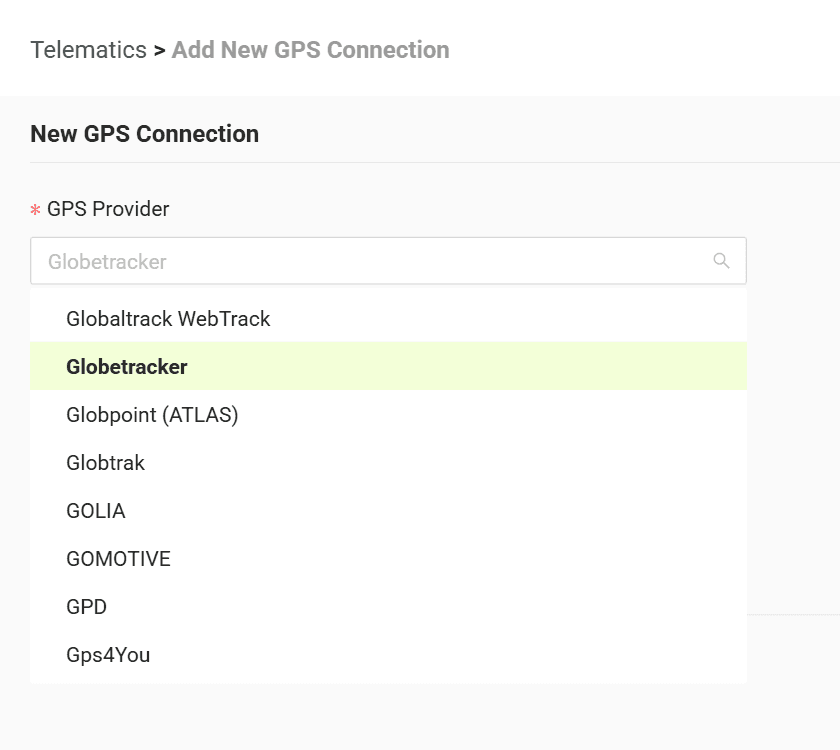
2. Select your GPS provider from the list
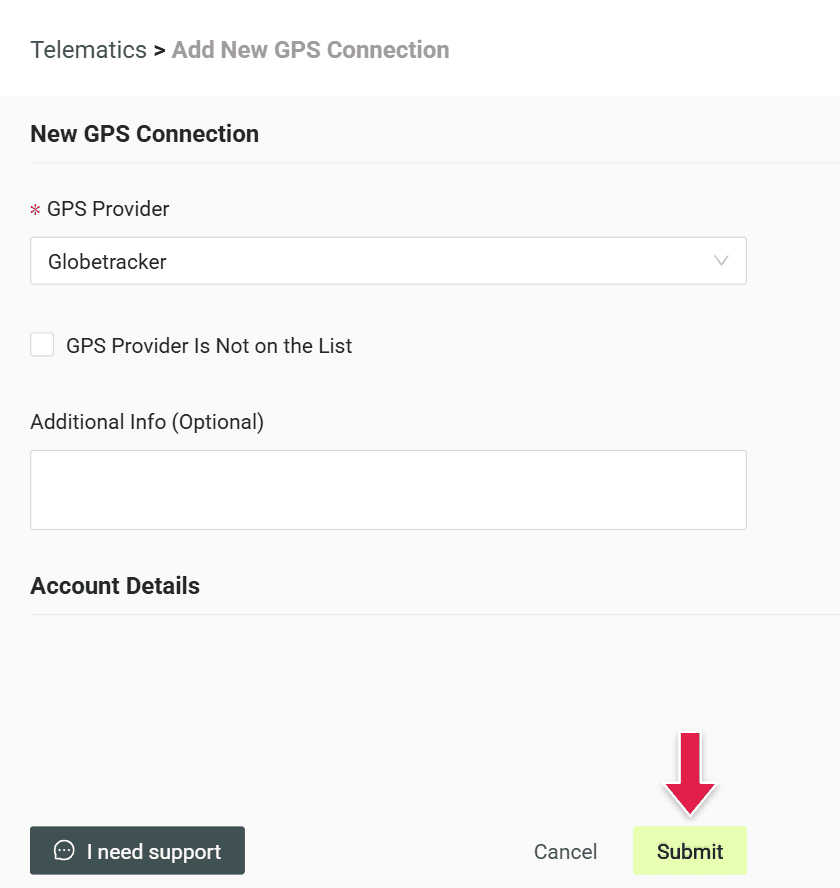
3. Click "Submit" to create the account
4. Copy the generated credentials (Login and Password)
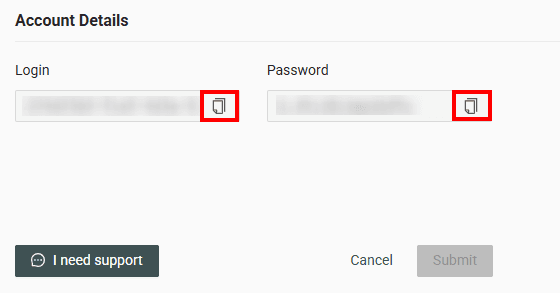
5. Pass the copied credentials (Login and Password) to Globetracker
6. Once you receive confirmation that the data is being sent to CO3, forward this information to CO3 at carrier@co3.io
Do you have questions?
Contact us at carrier@co3.io