May 13, 2026—5 min
FleetKO
1. Log in to FleetKO platform
2. In FleetKO, go to "Administration" -> "Personal access tokens"
3. Click "Add" to create a new token
4. Give the token a clear description, for example "CO3"
5. Pick a validity period
6. Set Purpose to "CO3" and click "OK"
7. Click "Add" to save the token
8. Copy the generated API key value
9. Go to the "Telematics" tab on the CO3 website and select "Add New GPS Connection" or click the link https://track.co3.io/#/telematic-accounts/create
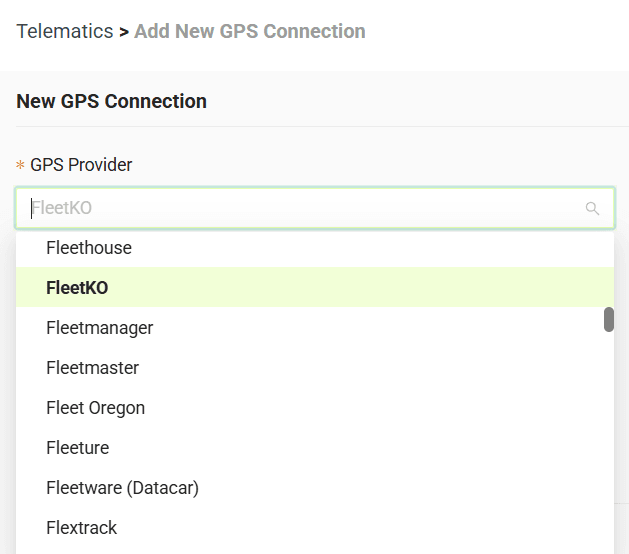
10. Select your GPS provider from the list
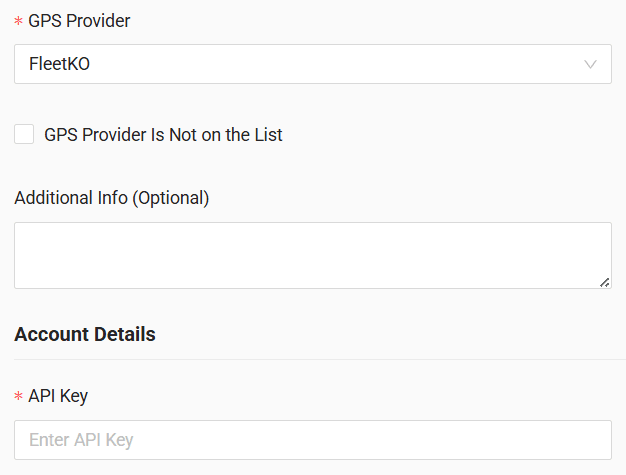
11. In the form, enter the API key generated in FleetKO
12. Click "Submit"
13. If the access data is correct, the account configuration will be successful
Do you have questions?
Contact us at carrier@co3.io