September 29, 2026—5 min
EasyTrackMe
1. Contact your account manager on the GPS provider side and ask for API access for CO3 The provider will send an “API Service” document containing an address in the format https://api.easytrack.me/api/account_name/vehicles and an authorization token
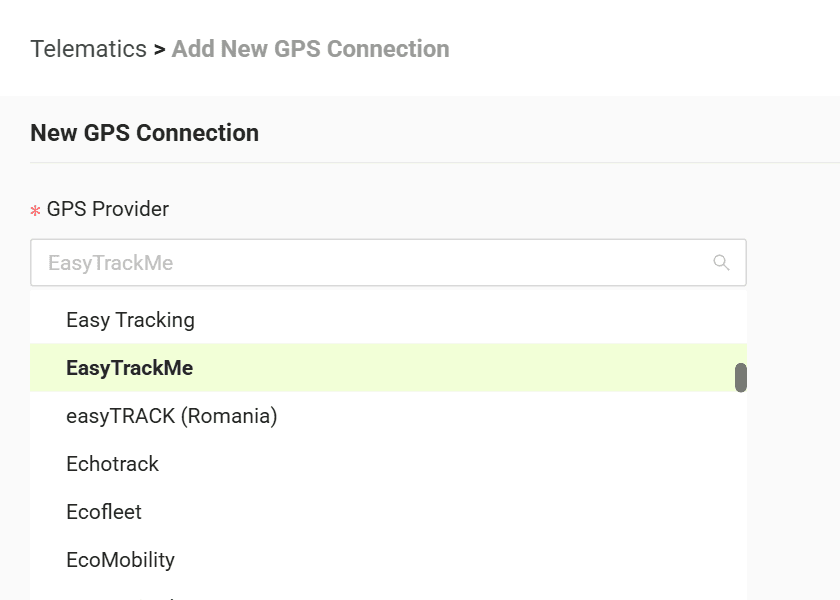
2. Go to the "Telematics" tab on CO3 website and select "Add New GPS Connection" or click the link https://track.co3.io/#/telematic-accounts/create
3. Select your GPS provider from the list
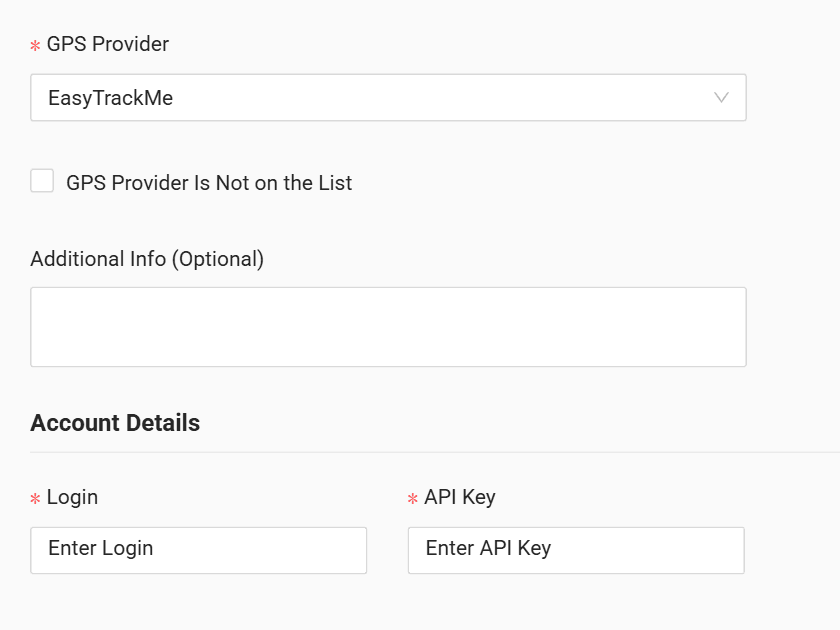
4. In the “Login” field enter the account name from the API address (the part after /api/ — e.g. for https://api.easytrack.me/api/mycompany/vehicles it is mycompany), and in the “API Key” field enter the token
5. Click "Submit"
6. If the access data is correct, the account configuration will be successful
Do you have questions?
Contact us at carrier@co3.io