August 25, 2025—5 min
SYCOMTEK
1. Contact your GPS provider account manager and ask for API credentials for CO3
2. Go to the "Telematics" tab on the CO3 website and select "Add New GPS Connection" or click the link https://track.co3.io/#/telematic-accounts/create
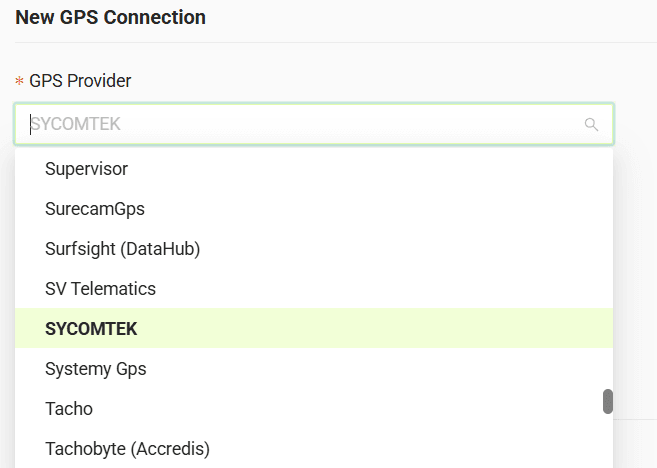
3. Select your GPS provider from the list
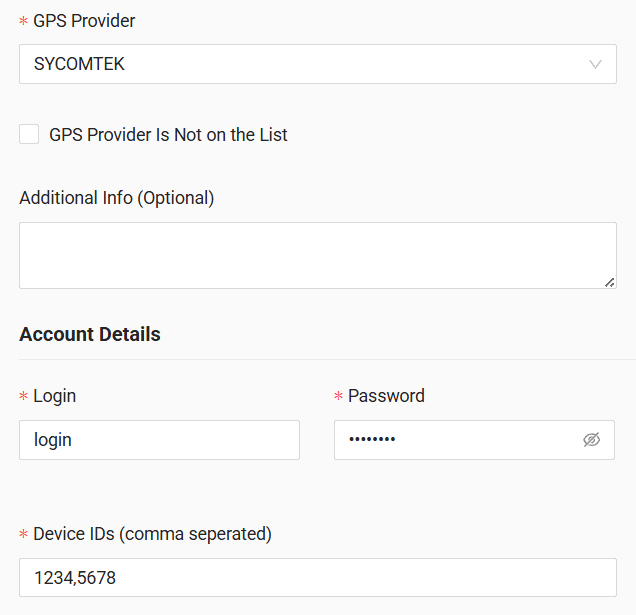
4. In the form, enter the login, password, and comma-separated device IDs
5. Click "Submit"
6. If the credentials are correct, the account configuration will be successful
Do you have questions?
Contact us at carrier@co3.io