November 21, 2025—5 min
Kinesis Pro
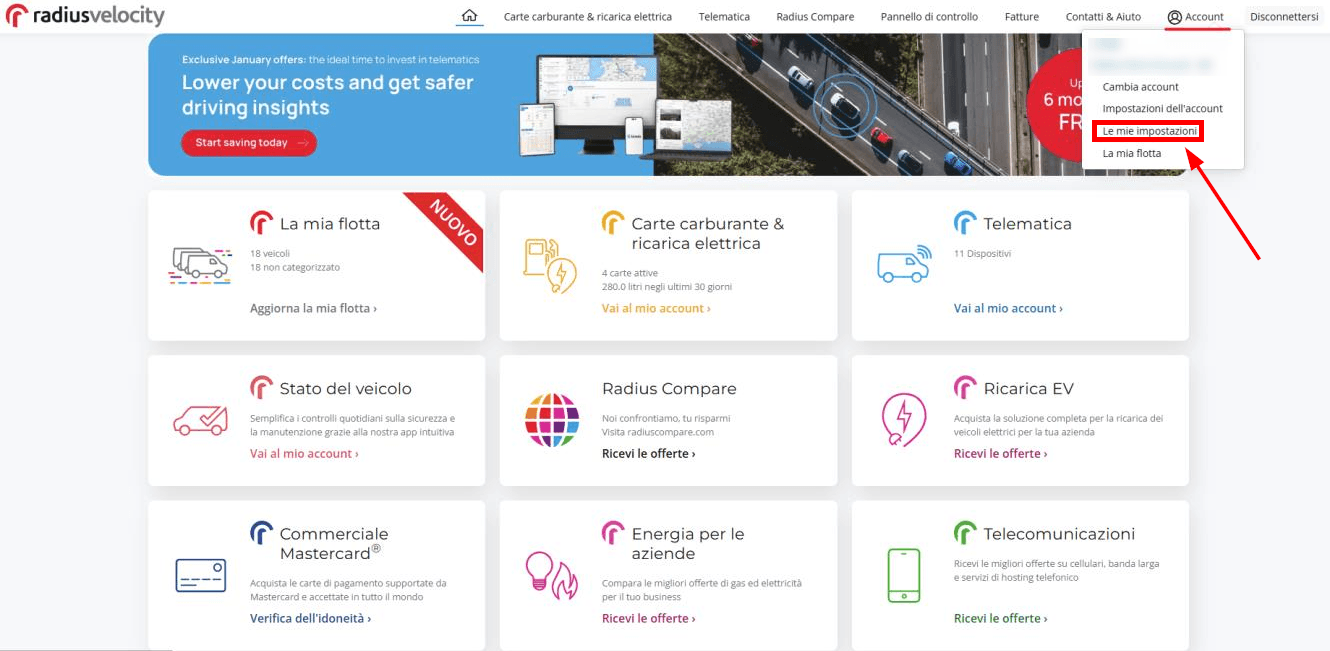
1. Log in to admin account and open the drop-down menu in the top-right corner, then select "My settings"
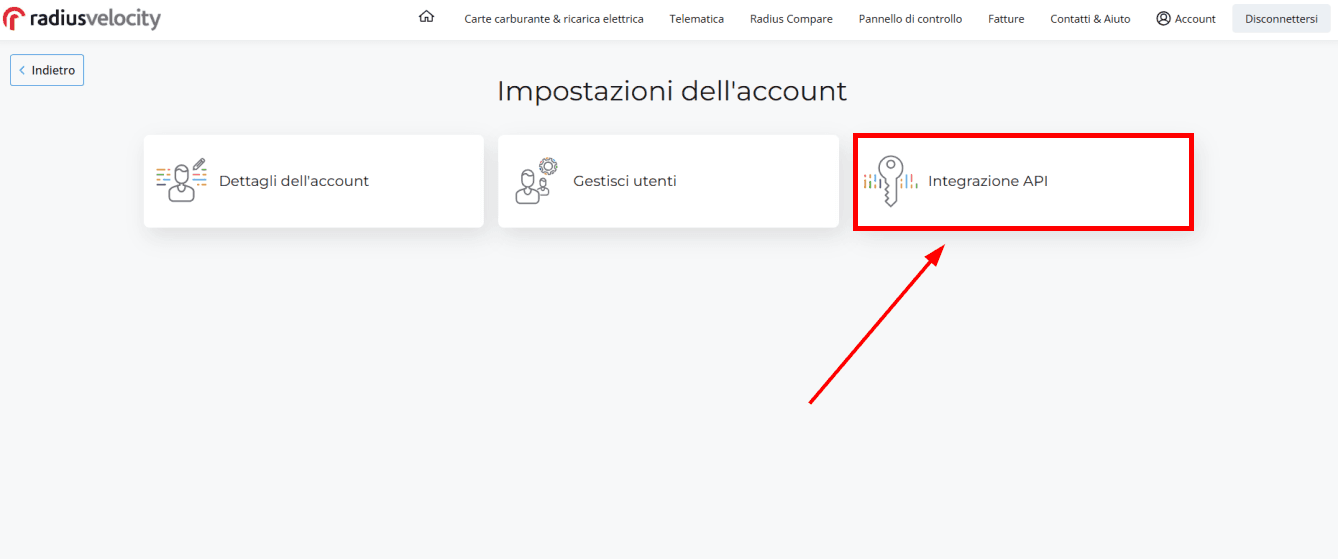
2. Select "API Integration"
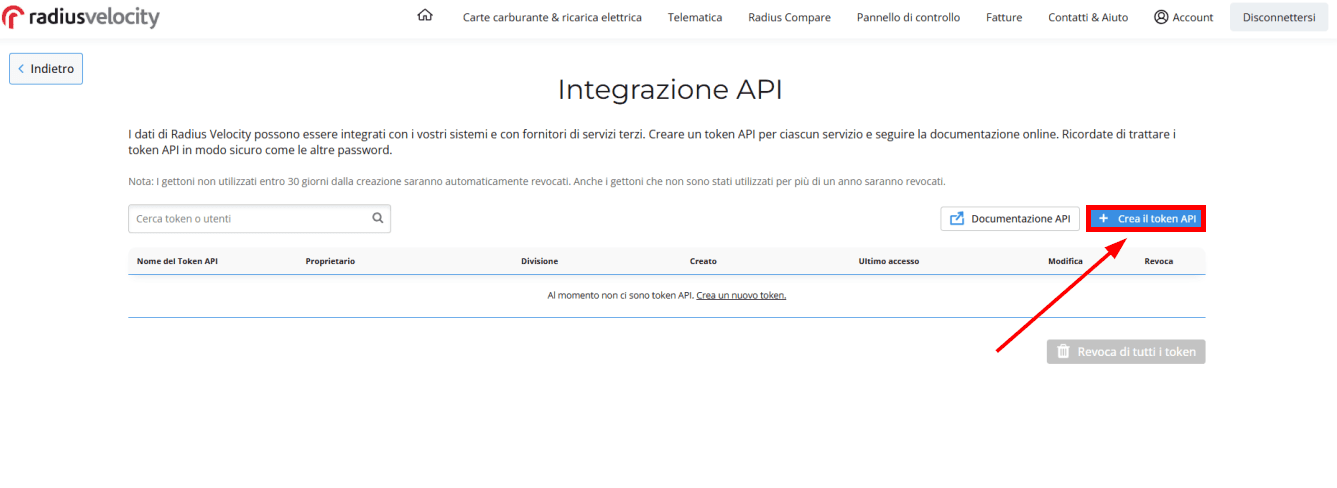
3. On the right side click the blue "Create API token" button to create a token
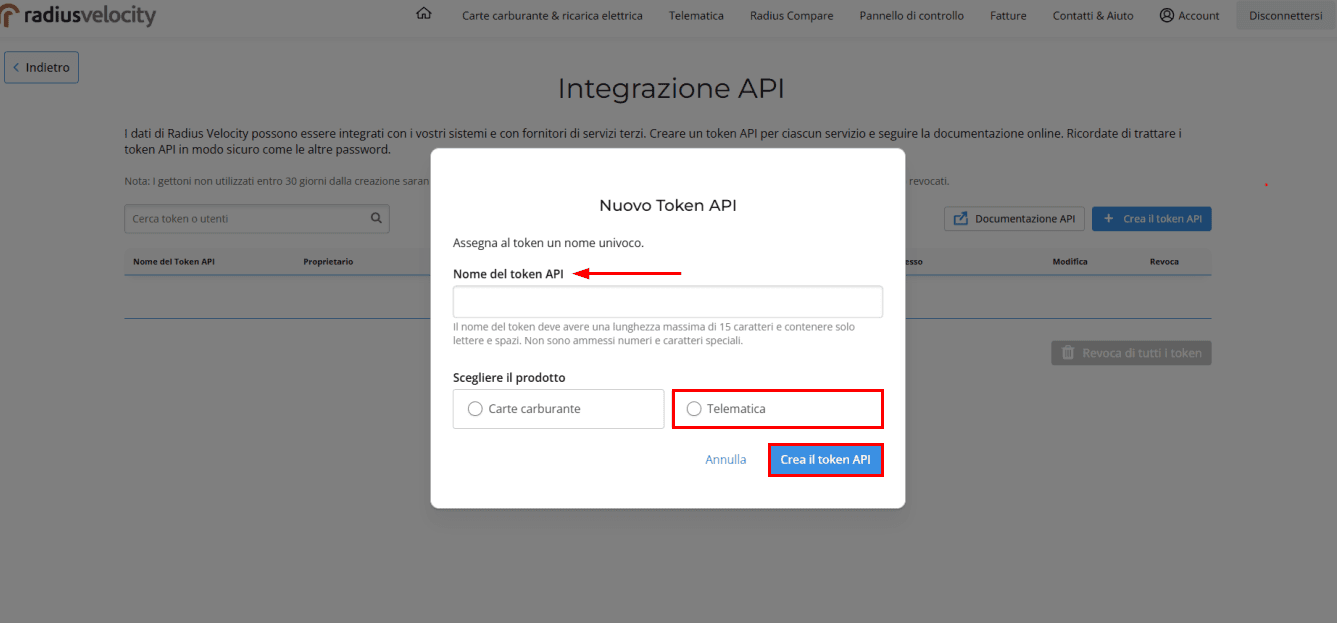
4. Enter a token name, select the "Telematics" option, and click "Create API token"
5. Go to the "Telematics" tab on CO3 website and select "Add New GPS Connection" or click the link https://track.co3.io/#/telematic-accounts/create
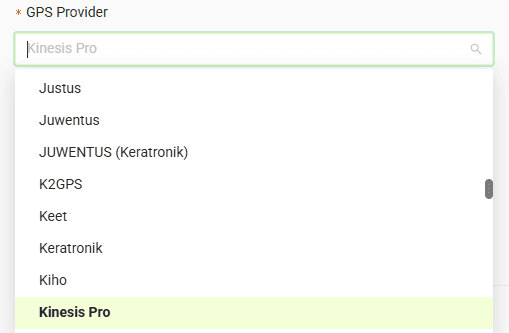
6. Select "Kinesis Pro" as your GPS provider from the list
7. In the form, enter the API key you created earlier in the "API Key" field
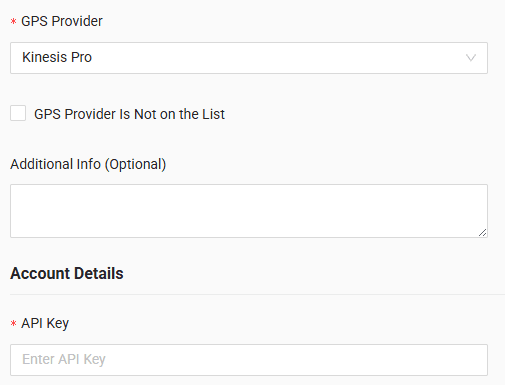
8. Click "Submit"
9. If the access data is correct, the account configuration will be successful
Do you have questions?
Contact us at carrier@co3.io