August 25, 2025—5 min
AGS
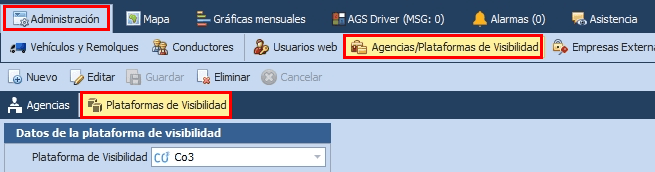
1. In AGSConecta, go to "Administration" -> "Agencies / Visibility Platforms" -> "Visibility Platform"
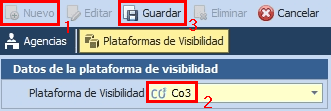
2. Click "New", select "CO3" as the visibility platform, and click "Save"
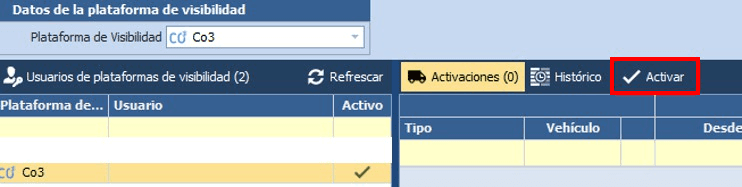
3. Select the CO3 platform and click "Activate"
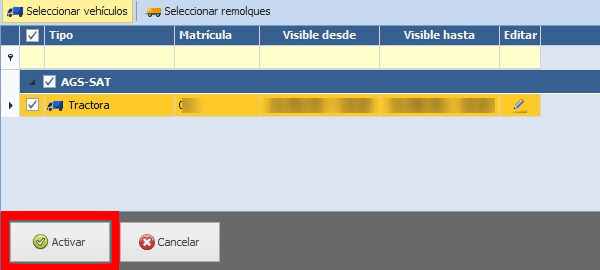
4. Choose "Select vehicles" and tick the vehicles you want to share with CO3

5. Click "Activate" to confirm the sharing
6. Send your Customer ID to CO3 by email at carrier@co3.io. You can find it in AGS in "Info"->"Company information"
Do you have questions?
Contact us at carrier@co3.io