August 25, 2025—5 min
Addsecure
1. Go to the "Telematics" tab on the CO3 website and select "Add New GPS Connection" or click the link https://track.co3.io/#/telematic-accounts/create
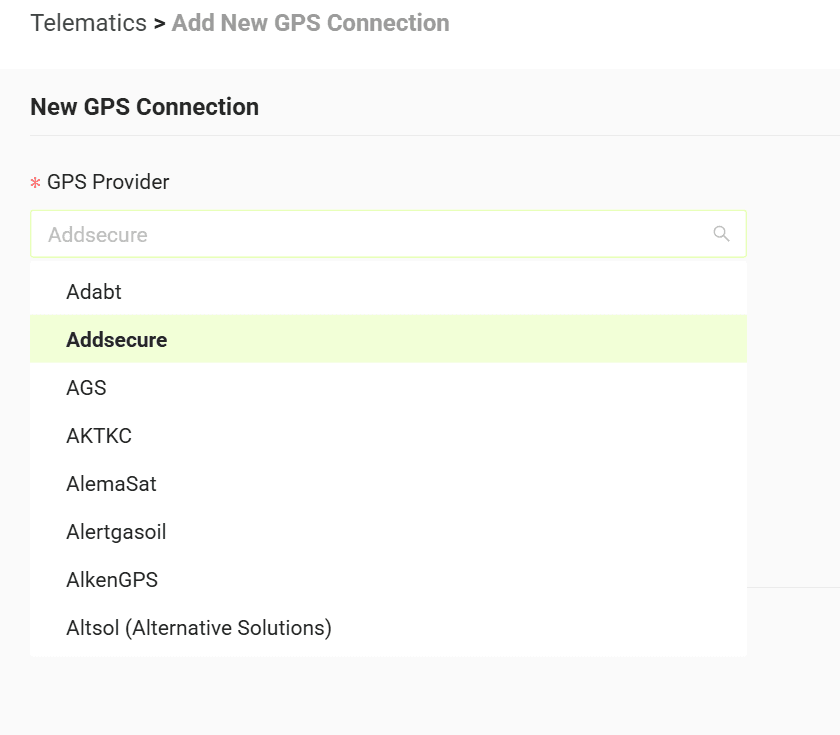
2. Select your GPS provider from the list
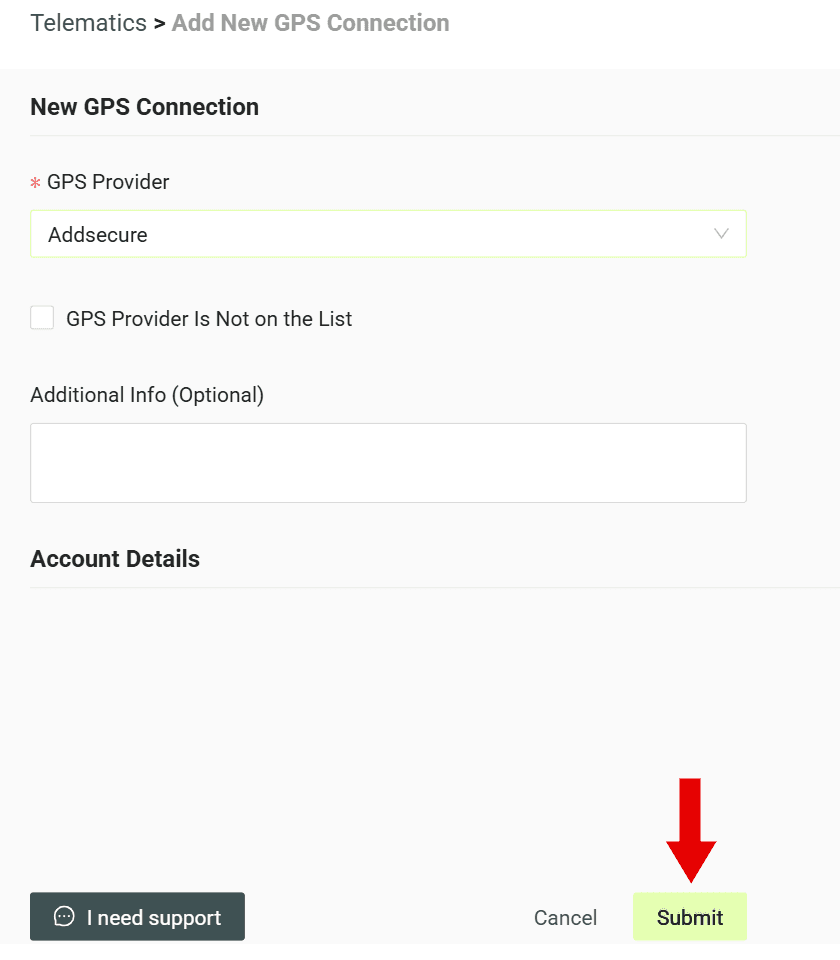
3. Click "Submit" to create the account
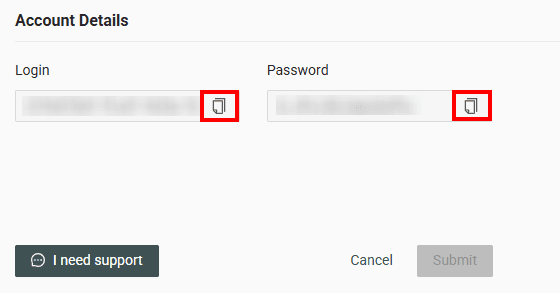
4. Copy the generated credentials (Login and Password)
5. Fill out the form https://drive.google.com/file/d/1AxXQd0tZtvqKfLPAxZV-p5AfBs69RllY/view and send it along with the copied credentials (Login and Password) to AddSecure at transport@addsecure.com
6. Pay the required fees
7. Wait for the integration confirmation
8. Log in to your AddSecure account
9. Select the "Vehicles" tab, then "Vehicle groups" -> "CO3" -> "Vehicles in the group"
10. Click on the plus icon and then select the vehicles to be shared from the list
11. Inform CO3 that vehicle positions are being transmitted by writing to carrier@co3.io
Do you have questions?
Contact us at carrier@co3.io