April 14, 2026—5 min
Masternaut
1. Contact your GPS provider and ask for the specified vehicles to be shared with CO3
2. Go to the "Telematics" tab on CO3 website and select "Add New GPS Connection" or click the link https://track.co3.io/#/telematic-accounts/create
3. Select your GPS provider from the list
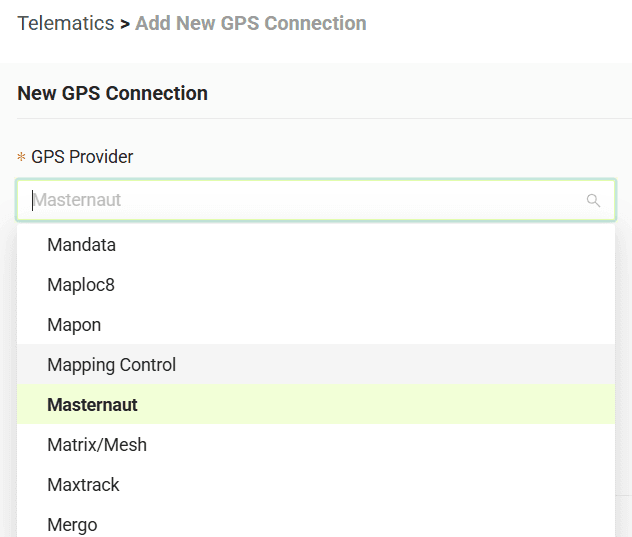
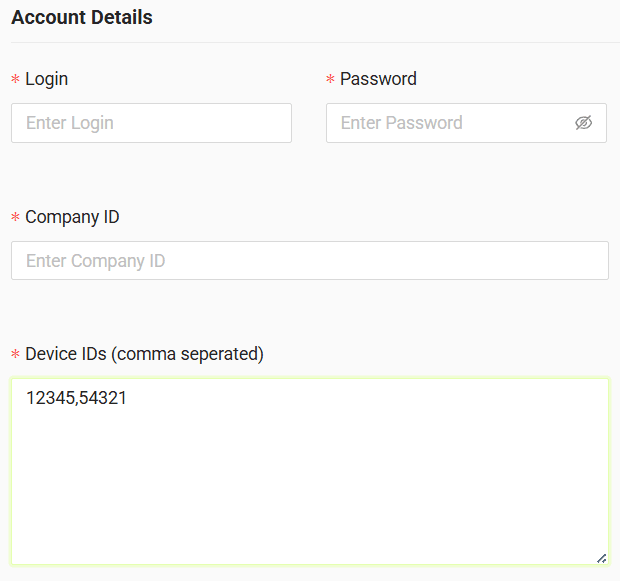
4. In the form, enter login, password and company ID received from your GPS provider and comma separated device IDs - see the example below
5. Click "Submit"
6. If the credentials are correct, the configuration will be completed successfully
Do you have questions?
Contact us at carrier@co3.io